
MAPPZ Quick Settings1.6 - Get APK
You'll be able to download in few seconds.
Publisher Description
MAPPZ Development announces:
QuickSettings
If your license isn't working, please contact me!
MAPPZ QuickSettings is aimed to bring all your favorite settings and apps to your fingertips.
It emulates the a second statusbar. You can pull it down from a set space in your statusbar.
Toggles:
• User toggle
• Battery indicator
• Ringer mode (normal/vibrate/silent)
• Settings panel
• Task killer
• Auto-brightness switch (auto/normal)
• Screen dimmer (black transparent overlay for better battery use)
• Rotation toggle (Auto-rotate on/off)
• Airplane mode
• Wi-Fi
• Bluetooth
• GPS
• Data
• NFC
• Torch / Flashlight
• Wakelock (Keeps screen on)
• QuickSettings configuration
QuickSettings configuration:
General settings
• Start on boot
• Statusbar above QuickSettings
• Hide when statusbar hides
• Fullscreen/wrapped drawer
• Lightsout: fade away the background when drawing
• Show on lockscreen
• Date bar above the QuickSettings
• Use 24-hour format
• Enable a shortcut button to the statusbar
• Toast a "X toggled" message after clicking a panel
• Vibrate after you click a panel
• Automatically close after you click a panel
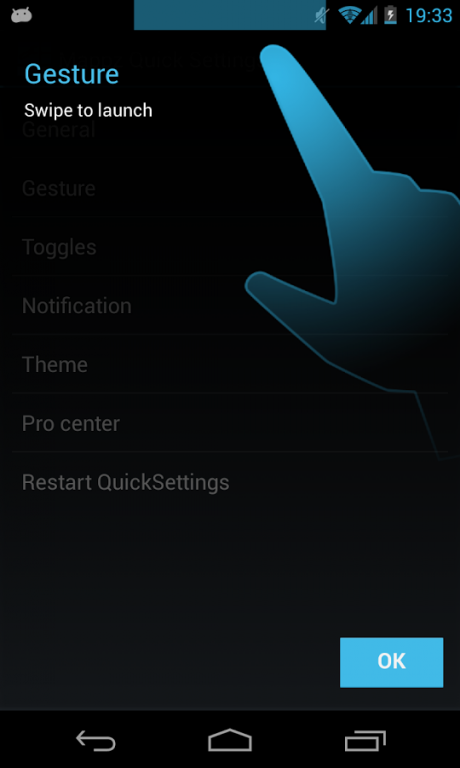
Gesture settings
• Enable/disable gestures
• Vibrate on gesture
• Gesture launcher position (gravity)
• Gesture launcher width
• Gesture launcher height
Toggle settings
• Set enabled/disabled toggles
• Set custom toggles (choose apps to add to a panel)
• Set toggle order
• Set number of columns (3/4/5)
• Set toggle functions
• Customize the toggle layout
Notification settings
• Enable/disable a notification
• Notification click brings you to QuickSettings OR Configuration
• Enable/disable 4.2-like notification (see screenshot)
• Enable/disable persistent notification
• Enable/disable small icon in statusbar
• Pin the notification on top of all notifications
Set the app theme
• You can download additional themes from the Play Store
Pro center
• See the benefits
• Buy the license
• Get a license key for free (friends, family and testers only)
• Ask a refund
Some features are not accessible until you buy the PRO license
All permissions that are requested will be used only for the app itself and no data will be collected, sent nor published.
Search terms: Quick Settings, QuickSettings, MAPPZ Development, 4.2
About MAPPZ Quick Settings
The company that develops MAPPZ Quick Settings is MAPPZ Development. The latest version released by its developer is 1.6.
To install MAPPZ Quick Settings on your Android device, just click the green Continue To App button above to start the installation process. The app is listed on our website since 2015-05-10 and was downloaded 0 times. We have already checked if the download link is safe, however for your own protection we recommend that you scan the downloaded app with your antivirus. Your antivirus may detect the MAPPZ Quick Settings as malware as malware if the download link to com.studio.quicksettings is broken.
How to install MAPPZ Quick Settings on your Android device:
- Click on the Continue To App button on our website. This will redirect you to Google Play.
- Once the MAPPZ Quick Settings is shown in the Google Play listing of your Android device, you can start its download and installation. Tap on the Install button located below the search bar and to the right of the app icon.
- A pop-up window with the permissions required by MAPPZ Quick Settings will be shown. Click on Accept to continue the process.
- MAPPZ Quick Settings will be downloaded onto your device, displaying a progress. Once the download completes, the installation will start and you'll get a notification after the installation is finished.
Program Details
System requirements
Download information
Pricing
Version History
version 1.6
posted on 2015-05-10
Release v1.6,- New Material Design icon.,- Crash fix for Android 5.0+ (?).
version 1.3
posted on 2013-06-22
Several fixes and updates
Disclaimer
External Download
We do not host MAPPZ Quick Settings on our servers. We did not scan it for viruses, adware, spyware or other type of malware. This app is hosted by Galad and passed their terms and conditions to be listed there. We recommend caution when installing it.
The APK Download link for MAPPZ Quick Settings is provided to you by apps112.com without any warranties, representations or guarantees of any kind, so access it at your own risk.
If you have questions regarding this particular app contact the publisher directly. For questions about the functionalities of apps112.com contact us.
